
Report: MRR Movements
The MRR Movements report shows how your Monthly Recurring Revenue has developed over time, breaking it down by movement type — New Business, Expansion, Reactivation, Contraction, and Churn.
For SaaS businesses, it's an essential diagnostic tool: rather than just showing a single MRR number, it reveals exactly where revenue is being gained and lost each period, making it easier to identify what's driving growth or holding it back.
If you're new to ChartMogul, get to know how reports work.
Report Notes
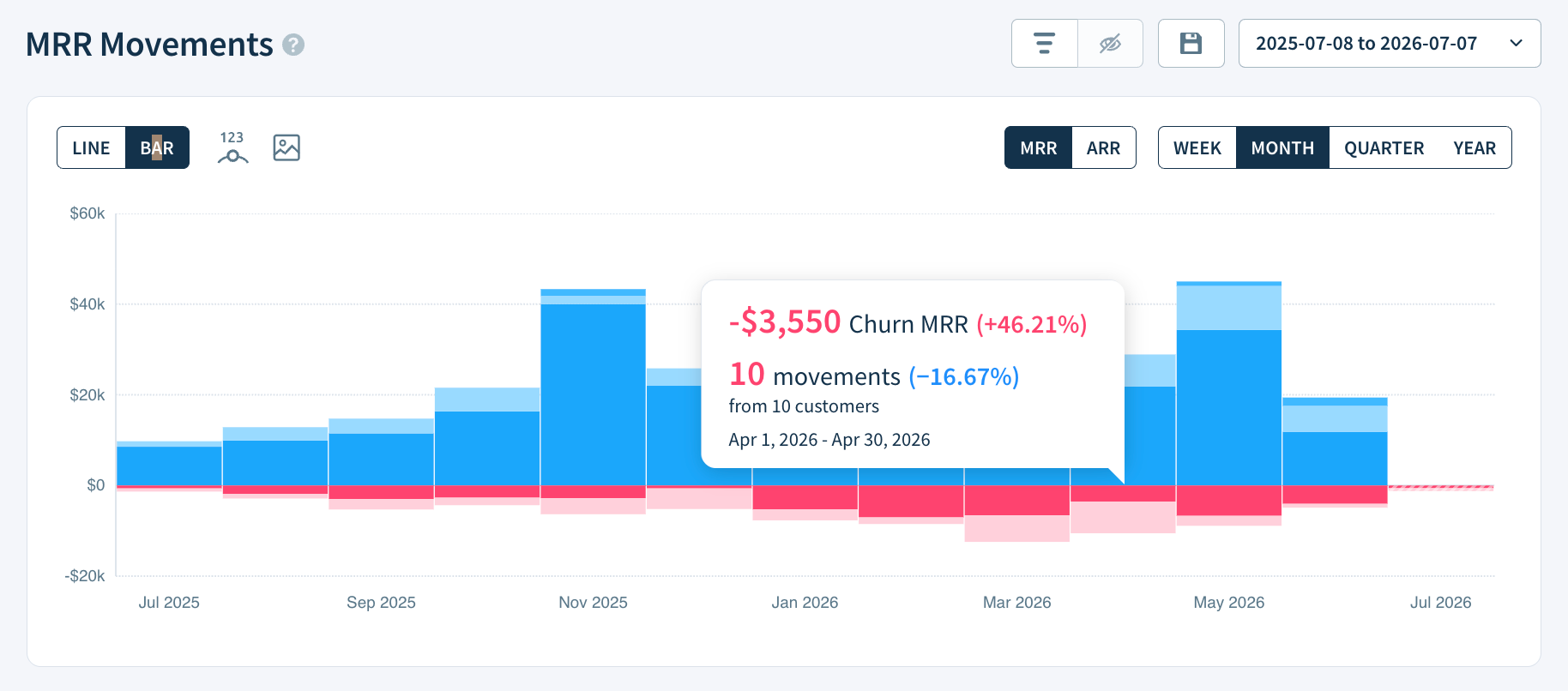
- Each vertically-stacked band represents a specific MRR movement type. New Business, Expansion and Reactivation are blue. Contraction and Churn are pink. Blue represents MRR growth and appears above $0. Pink represents the loss of MRR and appears below $0. MRR grew in a period when the combined height of the blue bands is greater than the pink.
- Diagonally-striped bars include the current period (today) and, thus, are an estimate until the period is over.
- Toggle between the default (MRR) and annualized (ARR) view. The report title and Report Data values update accordingly. Learn more.
Calculation
ChartMogul totals the value of all MRR movements contributing to each movement type in the period.
Isolating movements
Click the eye icon in the Report Data table to configure the individual MRR movements visible in the report. For example, create a report showing only New Business, Expansion and Reactivation:
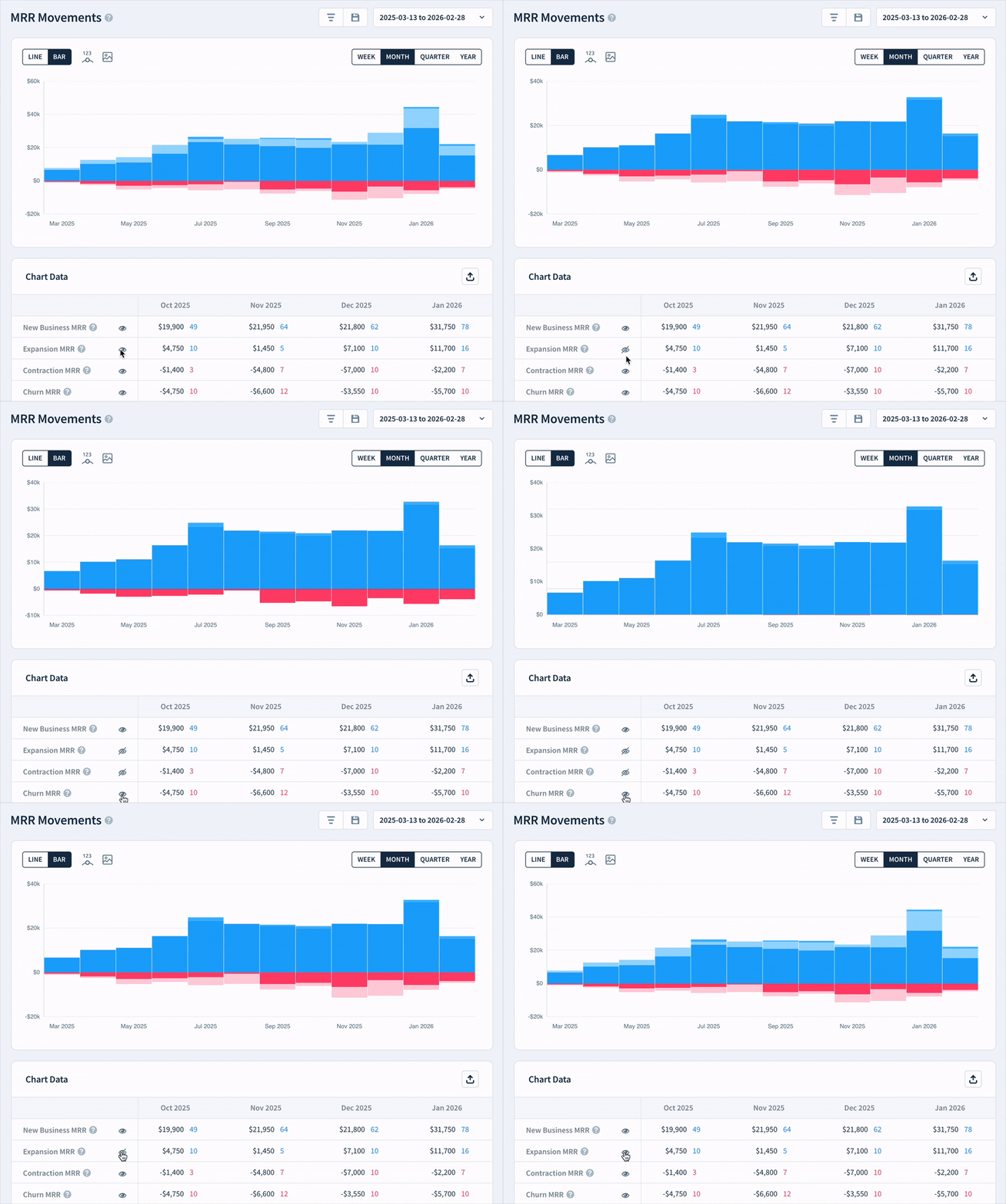
Click the Save this report button to create a saved version of the modified report.
Report Data
Click a cell in the Report Data table to view the subscription activities for a movement. Click a Net MRR Movement cell to view all movements in a period.
In the drilldown view, you'll see an Explain this button. Click it to open the AI Assistant, which gives you a plain-language summary of the movements in that period.
Learn more about Report Data.
Next Steps
- Learn more about MRR Movements.
- Read our blog on Understanding and Benchmarking Your MRR Movements.
- Improve the accuracy of MRR Movements with reclassification of subscription activity.