
Report: Monthly Recurring Revenue (MRR)
The Monthly Recurring Revenue (MRR) report tracks the total recurring subscription revenue across all active and past due subscriptions each month.
MRR is the foundational metric of any SaaS business—a consistent measure of subscription revenue that underpins forecasting, goal-setting, and growth analysis. This report shows how that number changes over time, giving teams a continuous pulse on business health.
If you're new to ChartMogul, get to know how reports work.
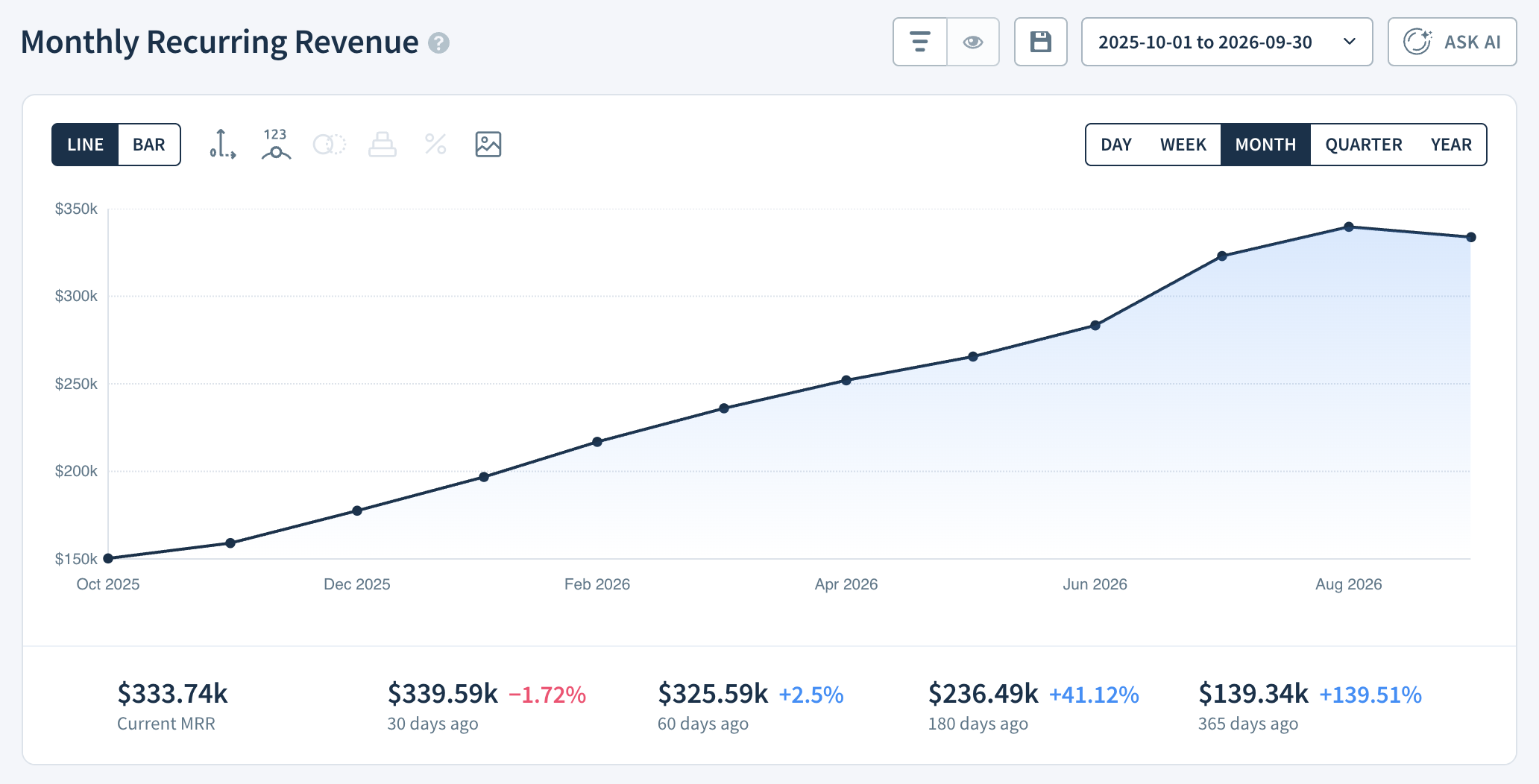
What insights can I gain from MRR?
SaaS is all about the steady growth of predictable, monthly recurring subscription revenue. As such, MRR is arguably the most important SaaS metric. Best-in-class SaaS businesses double their revenue each year.
Tracking and analyzing your MRR is central to understanding and growing your business. It allows you to see how you’ve performed up until now and—due to its predictable nature—helps you forecast where you’ll be next month, quarter or year.
Compare your growth to industry peers with Benchmarks. Once you’ve established your month-over-month baseline growth, set sales and expansion targets to meet total revenue goals for the next year.
Best-in-class SaaS businesses double their revenue each year. Learn more in our SaaS Growth Report.
Report Notes
- Subscriptions billed in foreign currencies are converted to your primary currency. Learn more.
Calculation
ChartMogul calculates Monthly Recurring Revenue as the sum of MRR for all active and past due subscriptions in the period using the following methods:
- For monthly plans, MRR is the amount paid each month for the subscription.
- For all other plans, ChartMogul calculates MRR using the invoice amount and the billing interval defined in the plan.
The following also impacts how ChartMogul calculates MRR:
- Subscription invoice line items and manual subscriptions contribute to this metric. One-time (non-recurring) line items do not. App Store Connect and Google Play don’t use invoice line items. Review your integration guide to confirm how ChartMogul generates subscriptions.
- MRR is offset by discounts.
- ChartMogul only deducts refunds from MRR for Stripe. For all other billing system integrations, refunded transactions are not deducted from MRR.
- Your Transaction fee handling setting determines whether transaction fees are deducted from MRR.
Report Data
Use the drop-down to show All MRR Movements or Net MRR Movements.
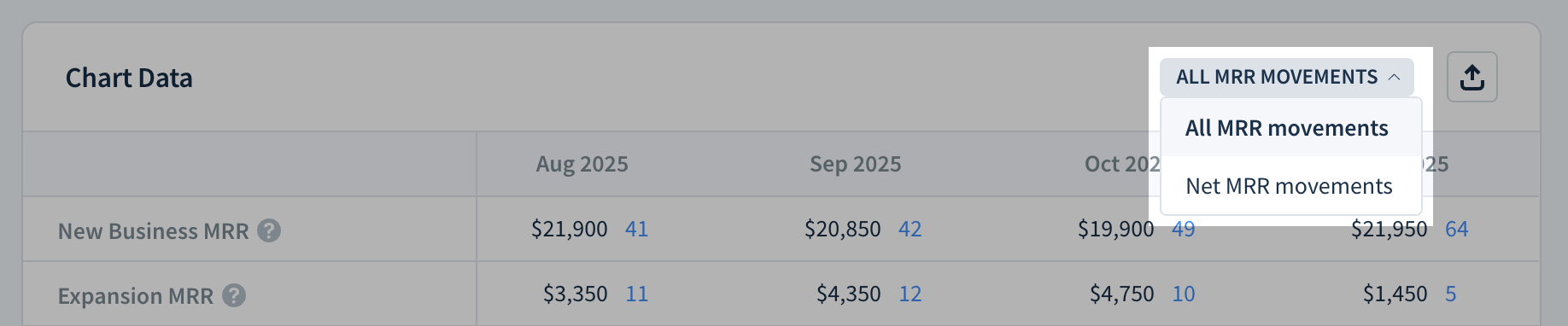
Learn more about Report Data.
Next Steps
- Analyze MRR by movement type.
- Use segmentation to analyze the MRR contributed by specific groups of customers.
- Set a goal for MRR and create a target to share progress with your whole team.
- Track this metric from your phone with the ChartMogul mobile app.
- See future changes to MRR with Committed Monthly Recurring Revenue (CMRR).