
Report: Net Cash Flow
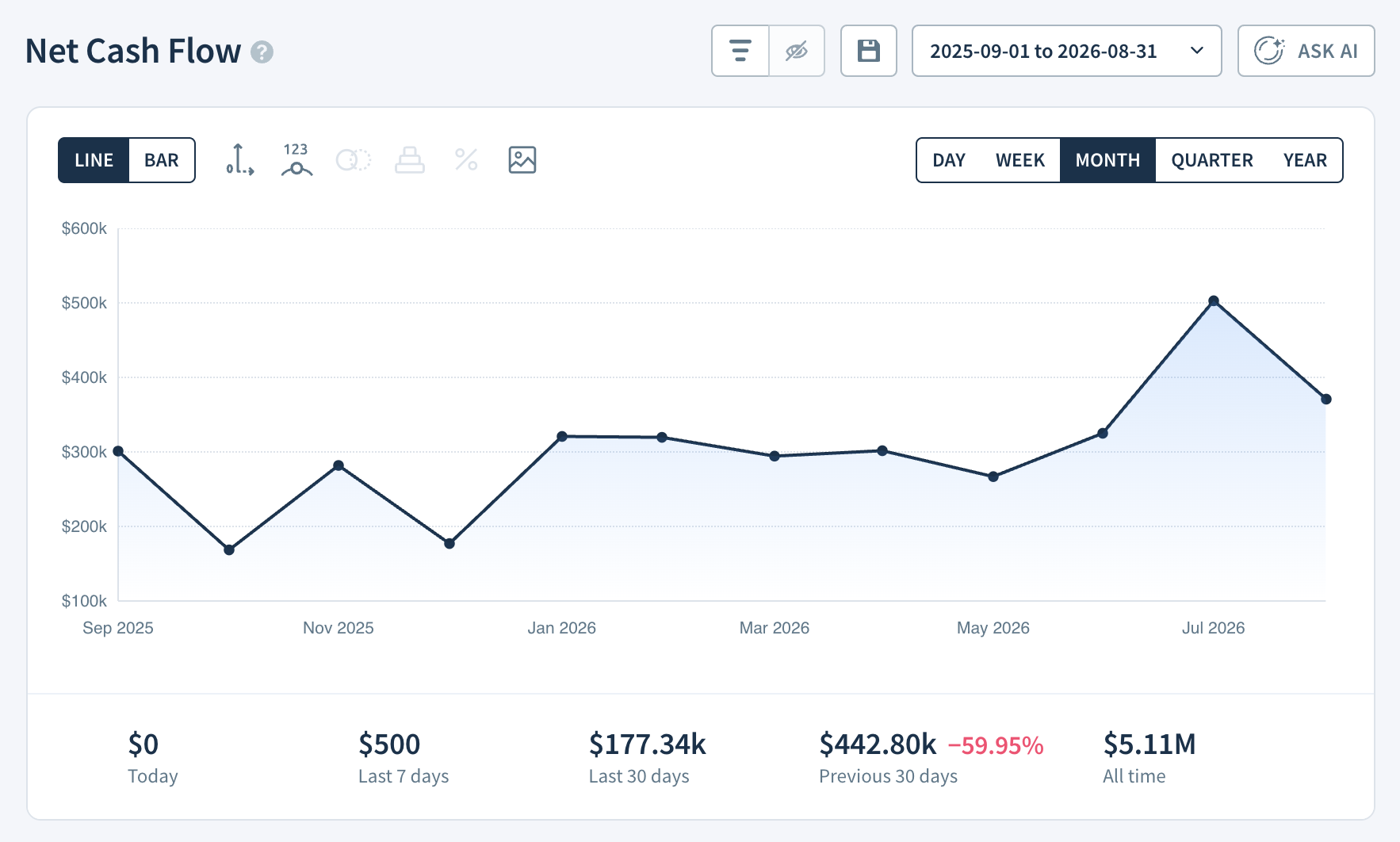
The Net Cash Flow report is a ChartMogul report that shows total cash received from paid invoices over time—including subscription, trial, and one-time charges—after accounting for refunds, discounts, and taxes.
Use it to see actual money retained (as opposed to gross cash collected), so you can understand billing activity and plan ahead. If you're new to ChartMogul, get to know how reports work.
If you're new to ChartMogul, get to know how reports work.
What to Know About This Report
- An invoice is considered paid once its associated transaction is successful.
- Includes cash received from subscription, trial and non-recurring (i.e., one-time) invoice line items, offset by discounts, refunds and taxes.
- Transaction fees are not deducted.
- Manual subscriptions contribute to this report when the Contribute to cash flow reports option is selected.
How ChartMogul Calculates Net Cash Flow
ChartMogul calculates Net Cash Flow as total cash received from paid invoices (records of charges issued to a customer), minus discounts, refunds, and taxes.
How to Read the Report Data Table
The Report Data table for Net Cash Flow works differently than other reports. It provides the following breakdown (depending on your billing system):
| Gross Subscription Cash Flow |
Total of payments received for subscription charges (the amount is offset by discounts, but refunds and taxes are not deducted). Learn more. Expand the row to see a breakdown by subscription stage:
|
|---|---|
| Non-Recurring Cash Flow | Total of payments received for one-time (non-recurring) charges (the amount is offset by discounts, but refunds and taxes are not deducted). Learn more. |
| Discounts | Total value of discounts applied to paid charges. ChartMogul deducts discounts from Net Cash Flow. |
| Taxes | Total sales tax/VAT amount specified separately on an invoice. ChartMogul deducts taxes from Net Cash Flow. Learn more. |
| Transaction Fees | Transaction fees charged by your payment system. By default they aren’t deducted from any charges, but you can opt to deduct them on a per-source basis. Learn more. |
| Balance | The balance of credit issued and/or applied to customers in the report interval. Positive values are credit added to a customer's account. Negative values are credit used as payment. |
| Credit | Total amount of credit issued to customers. |
| Voided Transactions | The value of any charges associated with voided transactions. ChartMogul ignores voided transactions when calculating Net Cash Flow. |
| Gross Cash Flow | The sum of Gross Subscription Cash Flow, Non-Recurring Cash Flow, Taxes, Transaction Fees and Balance, offset by Discounts and Credit. Not offset by Refunds, Transaction Fees or Voided Transactions. |
| Refunds | Total transaction amount from successful transactions where cash has been returned to the customer, and the amount has been applied to an invoice. |
| Net Cash Flow | Gross Cash Flow minus Refunds and Taxes. |
| Change | The increase or decrease in Net Cash Flow from the previous report interval, shown as a percentage. |
Select any cell to see the list of transactions behind the number.
To export data from this report, click Export above Report Data and choose a dataset:
Report data — the data currently shown in the Report Data table, downloaded as a CSV.
Transaction details — invoice-level transaction data for the reporting period.
Free trial line items — $0 free trial invoices for the reporting period.
For Transaction details and Free trial line items, we’ll email you a download link when the export is ready. Learn more about exporting data.
Next Steps
- Use Gross Cash Flow to track total cash received not offset by refunds.
- Read our blog post Cash flow planning 101 for SaaS startups.