
Report: New MRR
The New MRR report tracks the recurring revenue you gain from first-time subscribers over time. It shows the New Business MRR from the MRR Movements report as its own report, so it's easier to segment and compare.
For SaaS businesses, new MRR is the clearest measure of acquisition performance. Use it to see whether your sales and marketing efforts are bringing in more revenue over time, and which plans, regions or channels new revenue comes from.
If you're new to ChartMogul, get to know how reports work.
Report Notes
- Only first-time subscribers contribute to this report. Revenue from customers who return after churning is Reactivation and isn't included.
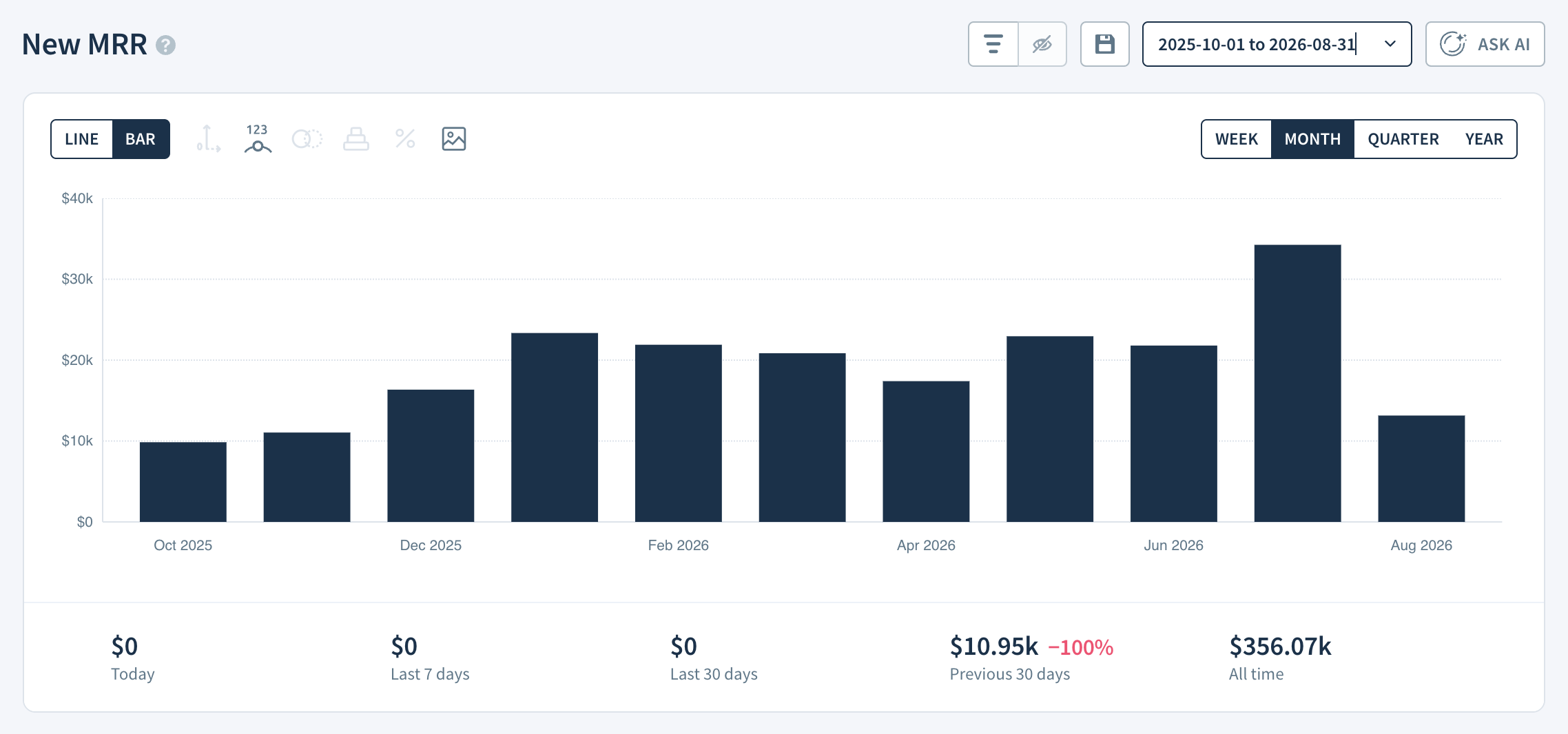
- The report shows bars by default. Select LINE to see the trend as a line.
- The summary below the report shows New MRR for Today, the Last 7 days, the Last 30 days, the Previous 30 days and All time. The percentage next to Previous 30 days shows the change from the previous 30 days to the last 30 days.
- Use the drop-down above the Report Data table to switch between All MRR movements (default) and Net MRR movements. Learn more about net MRR movements.
- Non-recurring payments do not contribute to this report.
Calculation
All MRR movements
ChartMogul totals the value of all New Business MRR movements in the period, including movements reclassified as New Business.
Net MRR movements
ChartMogul totals the net change in MRR from first-time subscribers in the period, including any MRR movements that follow their first subscription within the same period.
Example
A customer subscribes for $100 MRR in March and adds seats worth $20 MRR later that month. With All MRR movements, New MRR for March is $100 and the $20 counts as Expansion. With Net MRR movements, New MRR for March is $120.
Report Data
The Report Data table for New MRR provides the following breakdown with All MRR movements:
- New Business MRR — The total New Business MRR in the period. Expand the row to reveal:
- New Business MRR — MRR from first-time subscribers.
- Reclassified New Business MRR — MRR from movements reclassified as New Business.
- Change — The increase or decrease in New Business MRR from the previous report interval, shown as a percentage.
With Net MRR movements, the table shows:
- Net New Business — The net change in MRR from first-time subscribers in the period.
- Change — The increase or decrease in Net New Business from the previous report interval, shown as a percentage.
The number next to each amount is the number of customers. Click a cell to view the subscription activities behind the number.
Next Steps
- Compare new revenue with revenue lost in Churn MRR.
- Track the number of new customers with New Paid Subscribers.
- See all MRR movement types together in MRR Movements or Net MRR Movements.
- Use segmentation to analyze New MRR by plan, region or custom attribute.